Description
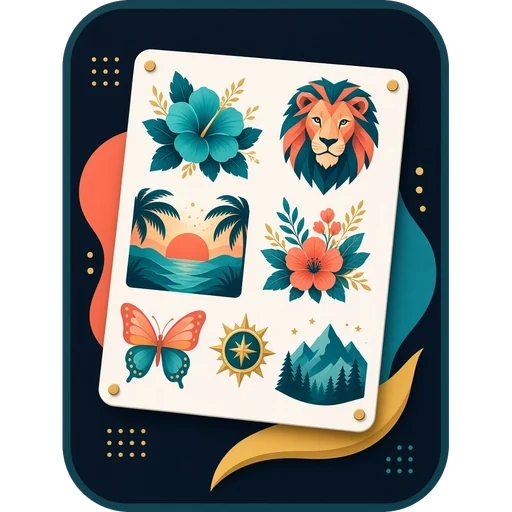
Sublimation paper and DTF film cost money every time you print, and fitting designs onto a sheet by hand in Photoshop or Canva takes ages. Gang Sheet Builder does it for you: add your designs, say how big and how many, and it fits them onto as little paper or film as possible at their true print size.
When the layout looks right, save each sheet as a print-ready PNG that carries its size, so it prints exactly right at 100% or “actual size”. Designs keep their see-through backgrounds for DTF, and one tick mirrors the whole sheet for sublimation.
Try it free in your browser first. The free preview lays out your sheets so you can see exactly how much paper you’ll use; buying unlocks saving the print files.
What it does
- Fits PNG, JPG, WebP and SVG designs onto A4, A3, A3+ (13 × 19 in), US Letter, Tabloid or your own size
- DTF rolls too: 22 in, 13 in, 24 in or 30 cm wide, and it tells you how much roll you’ll use
- Turns designs sideways when that saves space, and spills onto more sheets automatically
- Set each design’s width or height in millimetres or inches, and how many copies you need
- Trims empty see-through edges so designs pack tighter
- Fill the rest of the last sheet with copies of one design in a click
- Warns you when a design is too small a picture to print sharply at the size you chose
- Mirror for sublimation paper, and optional thin cut guides
- Saves each sheet as a PNG at 150 or 300 DPI, sized to print exactly right
Good to know
- Pay once and the app is yours, updates included. No subscription.
- Runs in Microsoft Edge, Google Chrome or Safari, and works offline once opened.
- Your designs never leave your computer.
- Use your licence on your own computers. Your key appears on screen and by email straight away.
- Sold on its own: this app is not part of the All Apps Bundle.

Reviews
There are no reviews yet.